Finite material
Pigment and liquid deplete independently. An exhausted tool can become a dry brush or a clean, wet implement instead of inventing more color.

Made for the hand.
Hane is an Android-first painting studio built around brushes that carry color, pick paint back up from the canvas and remember what happened in the last stroke. Load one, make a mark, mix into another color—and keep painting with what remains.
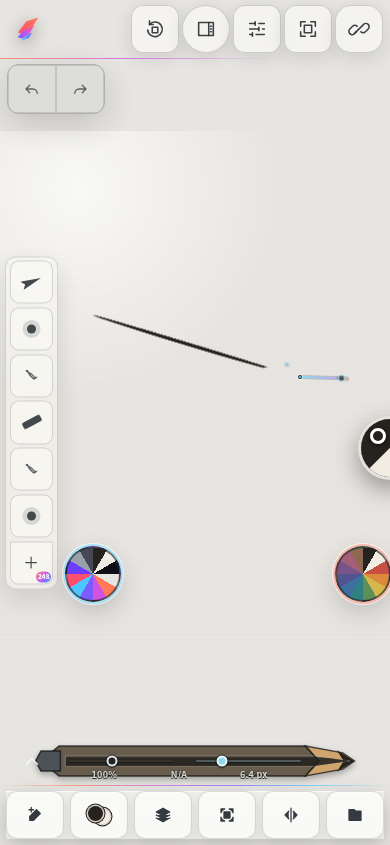
A Hane brush is more than a shape on a path. It holds pigment and liquid, changes as it moves, and can bring part of the surface into the next mark. The result is a painting history shaped by your hand—not a canned effect.
Pigment and liquid deplete independently. An exhausted tool can become a dry brush or a clean, wet implement instead of inventing more color.
Color can move from the artwork back into the brush, travel through the next gesture and dirty following bristles.
Bristles bend, trail, splay, rake and pull together. Pressure and side contact recruit more of the brush into the mark.
Reload, rinse, wipe or dry the tip. A dirty brush stays dirty until you decide to change it.
Watercolor, gouache, acrylic, oil and dye can move, mix, pool, granulate, stain, dry, cure and reactivate. Paper absorbs and wicks liquid, while canvas tilt gives gravity a direction.
Pressure, tilt, direction, speed, side contact and supported barrel rotation can all shape the brush. Guided calibration adapts to the pen.
Oil and acrylic can retain physical height, level while workable, lock as they cure and catch a neutral light as visible relief instead of flattening into color alone.
Four spray tools respond to pressure, angle, distance, dwell, motion and gravity. Solvent, pigment, pooling, drying and rivulets join the same evolving surface as the brushes.
Every bar uses the same 0–45 scale. The number at its end is the exact preset count in the current Tiltmark catalog.
| Medium | Relative preset count | Presets |
|---|---|---|
| Acrylic | 44 presets | |
| Alcohol dye | 7 presets | |
| Blender | 17 presets | |
| Charcoal | 3 presets | |
| Colored pencil | 1 preset | |
| Digital | 9 presets | |
| Gouache | 42 presets | |
| Graphite | 24 presets | |
| Ink | 9 presets | |
| Ink wash | 3 presets | |
| Oil | 44 presets | |
| Pastel | 5 presets | |
| Watercolor | 44 presets |
Source: Tiltmark 0.3.0 Rust/WASM catalog · 13 Aug 2026. The chart covers the 252 brush presets; the four separate spray-can tools bring Hane Full to 256 production implements. Working-library counts do not claim that every preset has completed artist calibration.
These are real captures made inside Hane. The first sweeps one brush through a six-color rainbow during on-device brush benchmarks. The other three were drawn by hand on a Galaxy S26 Ultra — alcohol-marker color beneath G-pen ink, a profile portrait, and a garden caught halfway between sketch and paint.

Current on-device output at 120 px: six rainbow bands, each laid in one continuous sweep. Opaque matte body, ragged bristle edges and tails that thin as pressure falls.

A real three-layer Hane canvas on a Galaxy S26 Ultra. Alcohol-marker color sits beneath a separate G-pen ink layer, so the drawing can keep loose color and decisive line independently editable.

A hand-painted profile on a Galaxy S26 Ultra: opaque hat strokes over confident line, with a background worked in bristle marks that carry, thin and run dry like real paint.

The same garden, caught mid-painting on a Galaxy S26 Ultra — pencil underdrawing still showing on one side, fully worked color on the other.
Unretouched captures from Hane. The gouache sheet is an automated on-device qualification study; the marker-and-ink study, portrait and garden were drawn by hand in Hane on a Galaxy S26 Ultra. Not commissioned artwork or final release presets.
Hane is the complete Android interface to Tiltmark. The same portable engine also has a separate integration in the desktop-class Sloom Studio Image workspace.
Focus, Compact and Studio interface levels keep favorite tools close and let the rest move aside. Pen paints; touch can navigate or become a tactile tool.
Local Gallery, recovery, layers, folders, clipping, masks, selections, transforms and guides give a painting room to grow beyond a quick sketch.
No account or Sloom cloud is required to draw and keep local artwork. Every visible mark begins with a gesture you make.
When you choose to turn it on, Sloom Link can bring Hane work into Sloom Studio while both devices are on the same local network. Nothing about that bridge is a cloud feature.
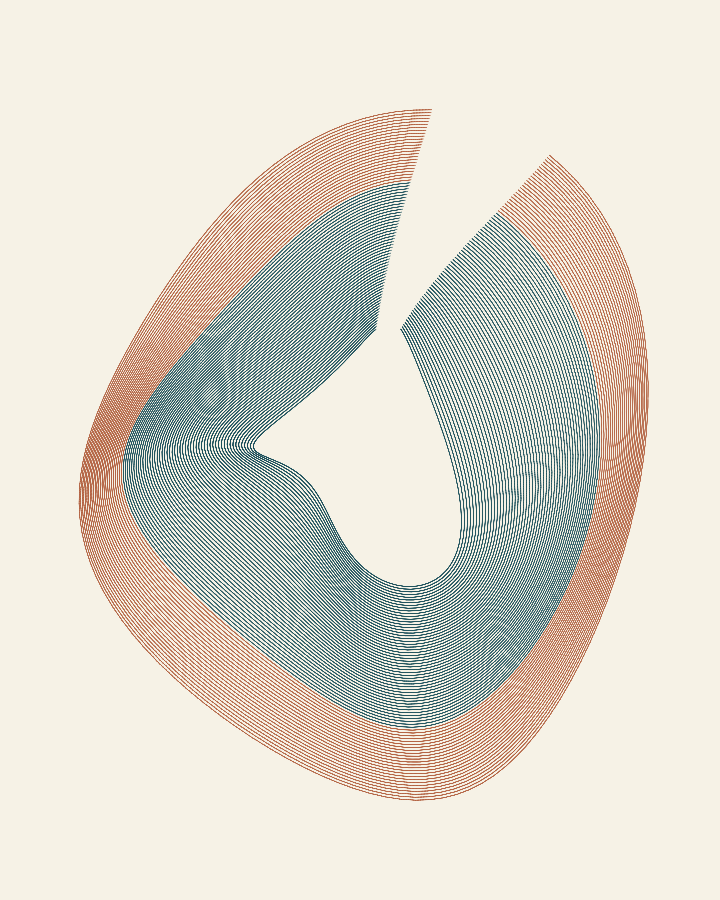
Brush studies · 01
Seventy-six lines, one brush. Watch a procedural ink study take shape in Hane’s real Tiltmark engine.
Hane is meant to be an accessible introduction to Tiltmark, without making the free edition feel fake. Starter and Full use the same physical brush behavior. Full expands scale, structure and authoring.
Hane is live on Google Play now. Prices are shown in USD; Google Play displays your local currency and purchasing-power-adjusted price at checkout.
Natural-paint apps on mobile can cost about $4.99. Broad professional art studios may add subscriptions. Specialized desktop paint tools can reach $149.99. Hane Full is $9.99 once, with a genuinely useful free Starter edition.
Hane is not trying to win with the longest checklist. It is trying to make loading, dragging, mixing, lifting and caring for a brush feel worth returning to.
See the dated market context →Public US pricing rechecked August 13, 2026. Offers can change. The detailed comparison and official sources live on the separate market-context page.
Every stroke leaves something behind—on the canvas and in the brush.
Hane · made for the hand · by Sloom

Meaningful news only: real updates, a new painting demonstration or a feature worth trying. No drip campaign. No ads.